By default, a coding agent in DearSQL can do more than read the context you pin — it can query your database directly. That’s what turns “write me a query” into “look at the data and tell me why this is slow”.
DearSQL does this by running a small MCP server on your machine and handing the agent its address when the session starts.
The tools
| Tool | What it does |
|---|---|
search_schema |
Finds tables, views and columns by name. Forgiving: user id, userId and a typo like usres all find users.user_id |
describe_table |
Shows one table’s columns, types, keys, indexes and which tables point at it |
run_query |
Runs a read-only query and returns the rows |
list_tables |
Lists every table and view with its size |
list_connections |
Lists your saved connections, which are open, and the databases on them |
connect |
Opens one of your saved connections by name |
execute_sql |
Runs a change (INSERT, UPDATE, DELETE, schema changes) after you approve it |
add_connection |
Saves a new connection from a URL or file after you approve it, then opens it |
The agent works on the connection the chat was opened from (or a table you pinned with @) unless it names another connection or database. It’s told to look names up with search_schema and describe_table before writing SQL, so it doesn’t guess column names, and when a query still trips over a misspelled table it gets back “did you mean …” suggestions instead of a bare error.
You’ll see each call appear in the transcript as it happens, and can expand it to read what came back.
What’s allowed
run_query only accepts read-only statements — SELECT, SHOW, EXPLAIN, DESCRIBE, WITH, PRAGMA and friends. Anything that writes is rejected before it reaches your database (changes go through execute_sql, below), including a write hidden after a semicolon:
SELECT 1; DROP TABLE users -- rejectedOn Redis it accepts read commands (GET, HGETALL, SCAN, INFO …), and on MongoDB read commands such as find, aggregate and countDocuments — but not a pipeline that writes with $out or $merge.
Changes need your approval
When the agent wants to change something, it calls execute_sql and the chat shows the statement and the connection with three buttons:
- Run runs it once and the agent gets the affected row count.
- Allow for this chat runs it and lets later changes on that connection run without asking, until you close the chat. It isn’t offered for connections whose tag starts with
prod; those always ask. - Reject tells the agent no, and nothing reaches the database.
A connection marked Read-only connection in its settings never accepts a change from the agent. An unanswered request is rejected after 5 minutes.
In a terminal, dearsql --mcp only offers execute_sql with --allow-writes, and your agent asks before each call instead (see Command line).
Results come back 50 rows at a time. If there are more, the agent can ask for the next page without re-running the query; a page also stops at about 30 KB of text (the result says so), and a single query stops at 1,000 rows, so a careless SELECT * on a huge table can’t flood the conversation.
connect opens a saved connection, and naming a closed connection in any other tool opens it the same way. To add one you haven’t saved — say, a database the agent just started in Docker — it calls add_connection with a URL or a file path, and the chat asks you before saving it (the password isn’t shown). Saved connections count toward the free tier’s limit like any other. With dearsql --mcp in a terminal there’s no app to ask, so connect takes a connection URL or a SQLite, DuckDB or CSV file path instead; that connection lasts until the server stops and is never saved.
Turning it off
The gear icon opens AI settings, which has Let the agent query my database. It’s on by default.
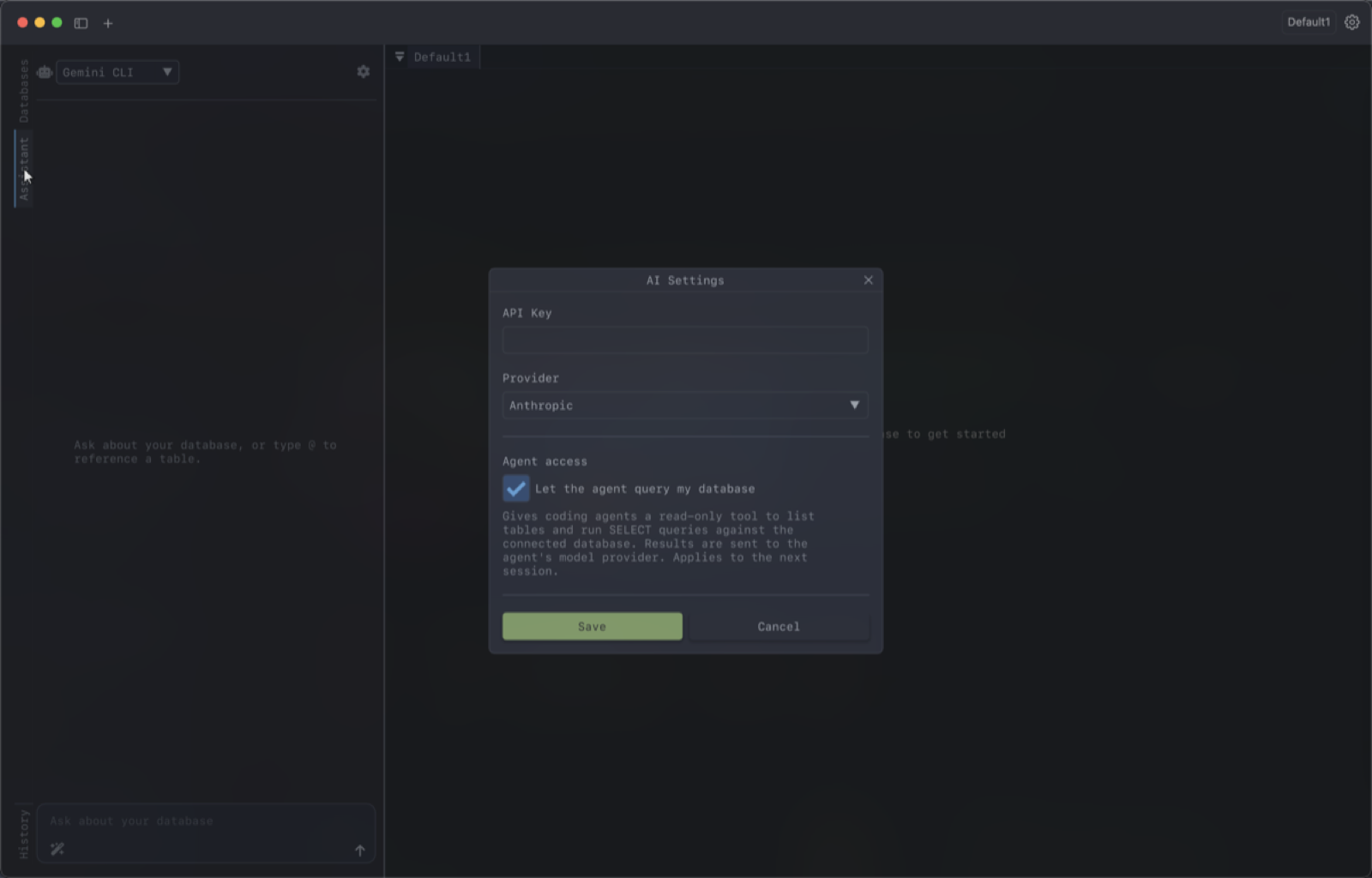
Turning it off stops the running agent and closes the port, so nothing is listening. The assistant still works — it just only knows what you tell it and what you pin with @.
Worth knowing when deciding:
- Query results are sent to whichever model provider your agent uses. Read-only still means the contents of those rows leave your machine.
- The server listens only on
127.0.0.1and every request must carry a bearer token that’s generated fresh for each session and shared only with the agent DearSQL launched. - Letting the agent open connections means it can trigger the side effects of connecting, such as an SSH tunnel or a keychain prompt.
If you’re working against production, it’s reasonable to leave this off and pin schema by hand with @.